- October 24, 2019
- Posted by: SouTech Team
- Category: Blog, CEH, Cyber-security and Ethical Hacking Training, Ethical Hacking and Kali Linux Free Training, Security

Lab 6-8:
Another technique of covering tracks is clearing system logs. By clearing the logs, all the events logged during the compromise will be erased. It can be done by either using command line tools or through the control panel on windows platform.
- Go to control panel:
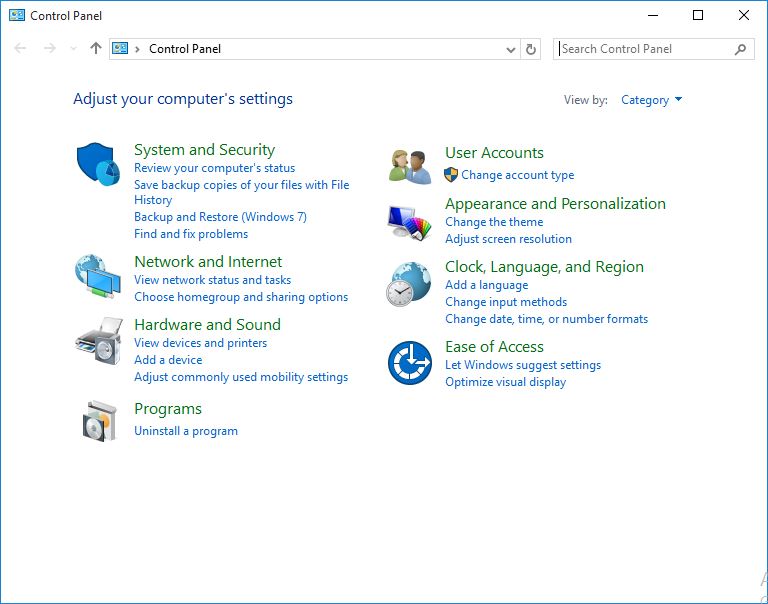 Windows Control Panel.
2.Click System and Security:
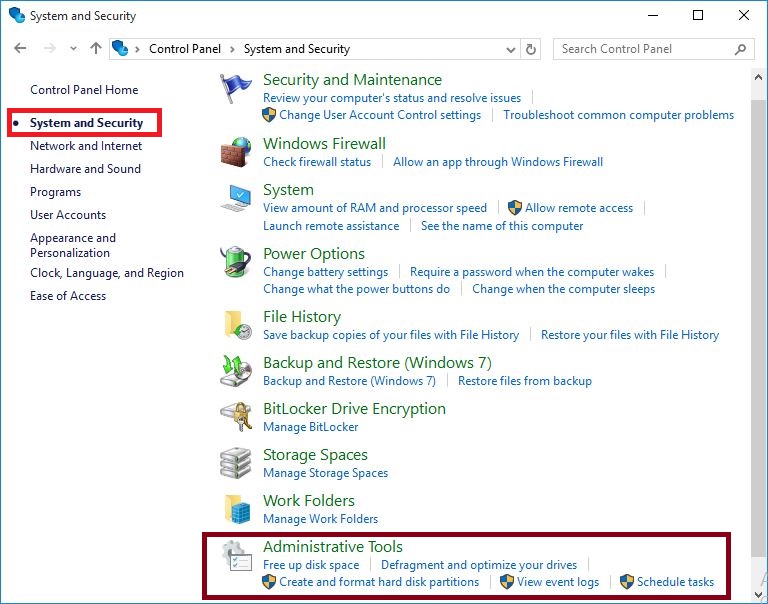 System and Security Options.
3. Click on Event Viewer.
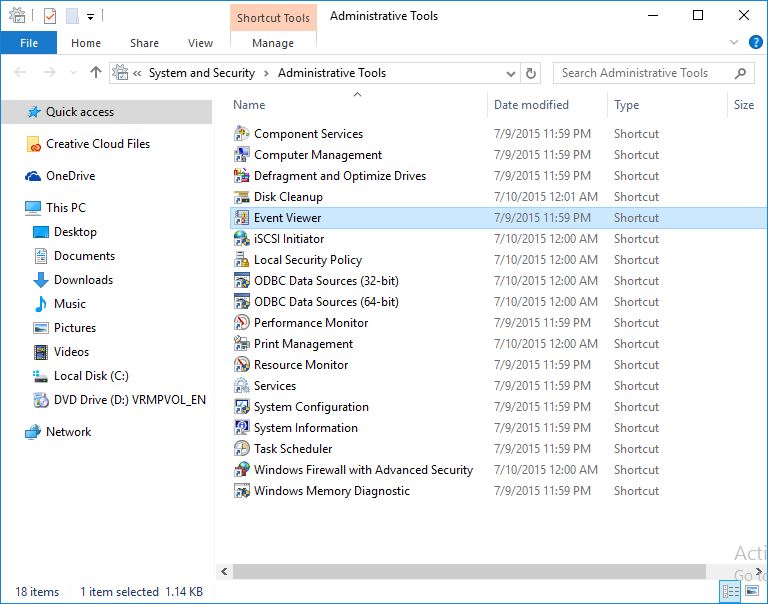 Administrative tools.
4. Click Windows Log.
Here you can find different type of logs, such as application, setup, security, system and forwarded events.
You can import, export and clear these logs using Action section on the right panel.
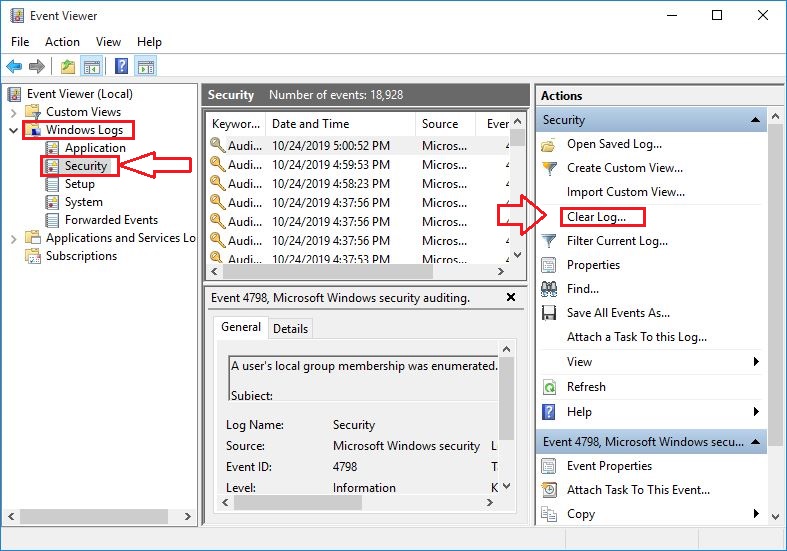 Event Viewer.
Want to learn? https://www.soutechventures.com/ilearn/courses.php See course details- over 20 Tech Skills

Get 80% Discount when you chat up (234) 8034121380 via WhatsApp
Get Cashback when you refer your friends, Let’s get started!!!
Related posts: