- August 23, 2020
- Posted by: teamDigital Marketing
- Category: Blog, Blogging, Consulting, Cyber-security and Ethical Hacking Training, Development, Ethical Hacking and Kali Linux Free Training, Freelancing, Internet, Mobile App Development Free Training, Mobile Application Development Service and Training, NewsBlog, Others, Outsourcing Link, PHP Programming, PHP Programming and Development, PHP Web Development Free Training, Python Development, Security, Softwares, Statistical Analysis IBM SPSS, Web Development Training, Website Design Service Abuja, Website Design Training, Website Hosting
No Comments
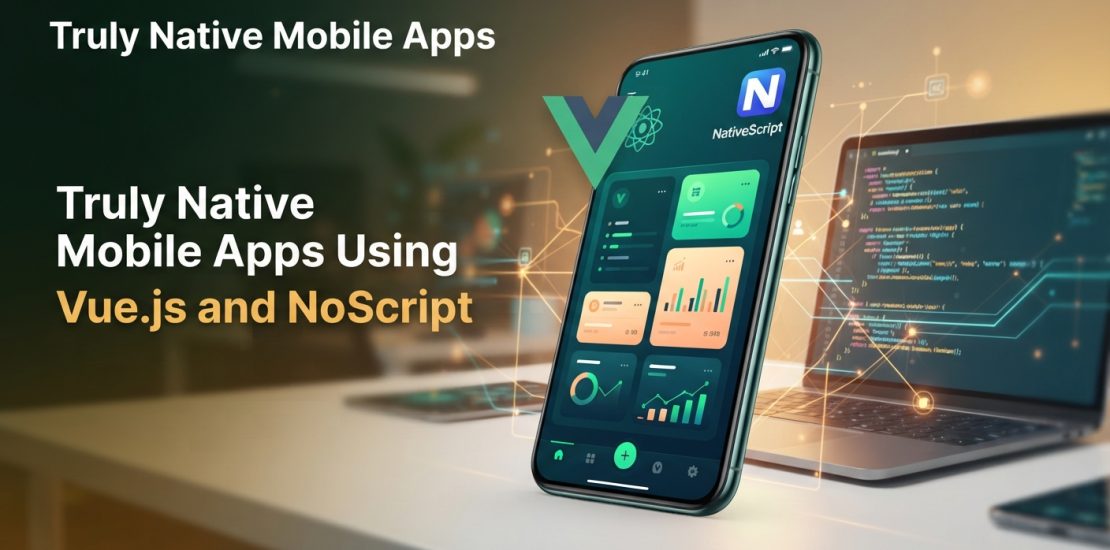
Truly Native Mobile Apps Using Vue.js and NativeScript: The Ultimate Guide for Nigerian Developers and Businesses
The Nigerian digital economy is booming. From fintech startups in Yaba to e-commerce ventures in Abuja, the demand for high-performance mobile applications has never been higher. However, for many local businesses, independent developers, and tech teams, the barrier to mobile app development feels steep. Building separate apps for Android and iOS traditionally meant hiring specialized teams or spending months learning complex new languages like Java, Kotlin, Swift, or Objective-C.
What if you could build truly native mobile apps using the web development skills you already have?
If you are already familiar with HTML, CSS, and JavaScript, NativeScript-Vue is the ultimate solution to release that app you have been dreaming about without the hassle of learning entirely new languages.
Why NativeScript-Vue is a Game-Changer for the Nigerian Tech Ecosystem
In Nigeria’s competitive tech market, speed-to-market and cost-efficiency are critical. NativeScript-Vue allows developers to use Vue.js—a highly popular, progressive JavaScript framework—to build cross-platform mobile apps.
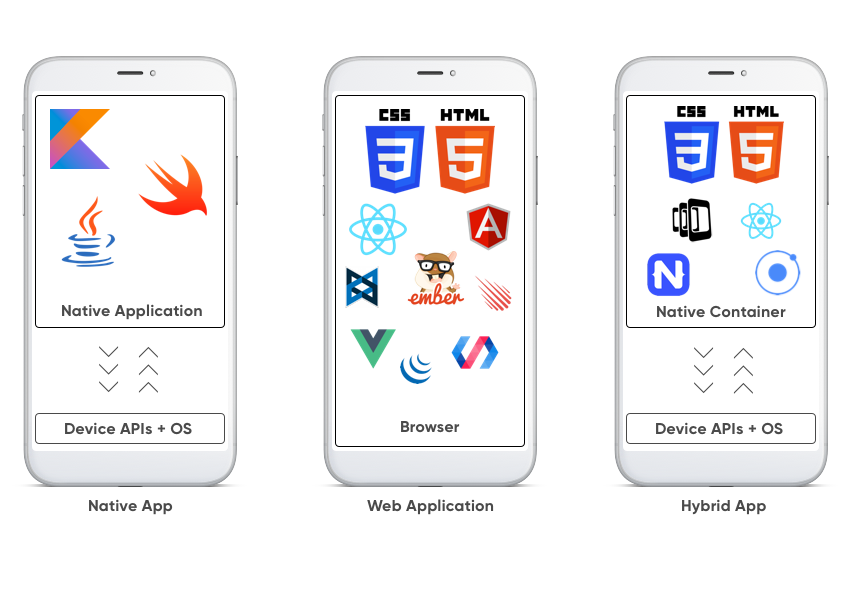
Unlike hybrid frameworks that render apps inside a slow web view, NativeScript injects JavaScript engines directly into the device. This means your components render as 100% native UI elements. Your users get the fluid animations, fast load times, and responsive performance of a traditional native app, while your business saves time and development costs by maintaining a single codebase.
Roadmap to Mastery: What You Need to Know
Building a production-ready application requires a structured approach. Below is the blueprint of what it takes to successfully build and deploy a NativeScript-Vue application from scratch.
1. Course Prerequisites
Before diving in, you need a solid foundation in core web technologies:
- HTML5 & CSS3: For structuring and styling layouts.
- JavaScript (ES6+): Understanding modern JavaScript syntax, promises, and async operations.
- Vue.js Basics: Familiarity with Vue components, data binding, directives (like
v-ifandv-for), and state management.
2. NativeScript-Vue Environment Setup & Installations
Setting up your development machine correctly saves hours of troubleshooting later. The environment setup involves:
- Installing Node.js and npm (Node Package Manager).
- Setting up the NativeScript CLI (
npm install -g nativescript).
- Configuring platform-specific tools: Android Studio and SDKs for Android development, and Xcode (on macOS) if you plan to build for iOS.
- Utilizing the NativeScript Preview app on your physical smartphone for rapid, wireless testing.
3. Introduction to NativeScript Building Blocks & UI
NativeScript does not use standard HTML tags like
<div> or <span> because those do not exist natively on mobile operating systems. Instead, you learn to use semantic native XML components wrapped beautifully for Vue:- Layout Containers: Mastering
AbsoluteLayout,DockLayout,FlexboxLayout,GridLayout, andStackLayoutto create responsive designs that look perfect on all screen sizes—from low-end smartphones to premium tablets.
- UI Components: Working with native buttons, text views, labels, images, and switch toggles.
4. Basic Structure of a Page & Page Navigation
Mobile navigation is inherently different from web routing. In NativeScript-Vue, you build multi-page experiences using frame-forward mechanisms:
- Understanding the
<Frame>and<Page>components.
- Implementing modal views, tabbed navigation (
Tabs,TabView), and side drawers.
- Passing data dynamically between pages during a navigation transition.
5. Getting Started with NativeScript Plug-ins
When your application needs to talk to the physical device hardware, plug-ins bridge the gap. You can easily integrate tools to access:
- The device camera and photo gallery.
- Geolocation and GPS mapping services.
- Biometric authentication (Fingerprint / Face ID), which is critical for local fintech and security apps.
6. NativeScript Professional UI Components
To give your app an elite, enterprise-grade feel, you can leverage advanced, pre-built professional UI components. These include complex data charts, calendars, auto-complete text fields, and advanced list views with built-in pull-to-refresh and swipe-to-execute actions.
7. Adding Splash Screens, App Icons, and Data Storage
First impressions matter. You must configure your app’s asset ecosystem by creating high-quality splash screens (loading screens) and app icons tailored to various device resolutions. Additionally, you will implement offline capabilities using local data storage mechanisms like application settings, SQLite databases, or Secure Storage plug-ins to keep user data safe.
8. Connecting a NativeScript App to the Internet
Most modern apps rely on external data. You will hook your NativeScript-Vue application up to the internet by making HTTP REST API requests using standard web tools like
fetch or Axios. This allows your app to pull real-time data, process payments, and authenticate users via cloud databases.9. Publishing a NativeScript Android App to Google Play
The final frontier is deployment. Given that Android dominates the Nigerian mobile market share, mastering the deployment pipeline is essential. This includes:
- Optimizing your code for production builds (
ns build android --release).
- Generating a secure digital signature (Keystore file).
- Setting up your Google Play Console developer account, uploading the App Bundle (.aab), and navigating the app review process successfully.
How We Can Help You Succeed
Navigating mobile app development can still feel overwhelming if you are doing it alone. Whether you are an individual developer looking to upgrade your skillset, or a business aiming to launch a world-class mobile product, we offer a full suite of professional services tailored to the Nigerian market:
| Service | What We Deliver |
|---|---|
| 🚀 Mobile App Development | We build custom, high-performance, truly native NativeScript-Vue mobile apps from scratch, tailored exactly to your business goals. |
| 🎓 Corporate & Individual Training | Practical, hands-on masterclasses covering everything from environment setup to Google Play deployment, fast-tracking your team’s development capabilities. |
| 💡 Strategic Consulting | Architecture design, framework selection, and technical consulting to ensure your app scales smoothly as your user base grows. |
| 🔍 Code & Security Audits | Comprehensive technical reviews of your existing codebases to identify performance bottlenecks, optimize speed, and patch security vulnerabilities. |
Take the Next Step Today
Do not let the complexity of traditional mobile development hold your ideas back. Leverage your existing web skills to dominate the mobile app market.
If you want to fast-track your journey, let us know how we can support you. Propose a specific way to proceed or clarify your needs:
- Are you looking to train your existing engineering team?
- Do you have a project ready and need a comprehensive development quote?
- Would you like a technical audit on a mobile app you have already started building?
Related posts: